

A technical drawing can contain far more information than its visible text. A single sheet can combine symbols, dimensions, notes, callouts, schedules, and references to other sheets. An AI blueprint reader helps teams interpret that information faster.
It can identify drawing elements, connect related information, and surface results for review. That distinction matters because blueprint reading is not the same as searching a PDF. The useful information may sit in geometry, symbols, dimensions, notes, or relationships between sheets.
For construction and engineering teams, that distinction can affect everything from drawing review and takeoffs to BOM preparation and estimating. Here’s what a blueprint reader is, how it works, where manual processes break down, and what separates a capable AI blueprint reader from generic tools.
What Is an AI Blueprint Reader?
An AI blueprint reader is software that analyzes technical drawings and helps people understand the information they contain.
It does more than search for words on a page. It uses AI, computer vision, optical character recognition (OCR), and document analysis techniques to interpret supported visual and textual elements and relate them to the drawing around them. Depending on the system and drawing type, this can include:
- Text, labels, and drawing notes
- Dimensions and measurements
- Symbols and represented components
- Schedules and tables
- Callouts and detail references
- Sheet numbers and drawing titles
- Revision information
- Relationships between related drawing elements
For example, a window may appear as geometry on a floor plan while its size or type appears elsewhere in the drawing set. The useful result comes from relating those pieces of information to their surrounding context, rather than simply extracting the text.
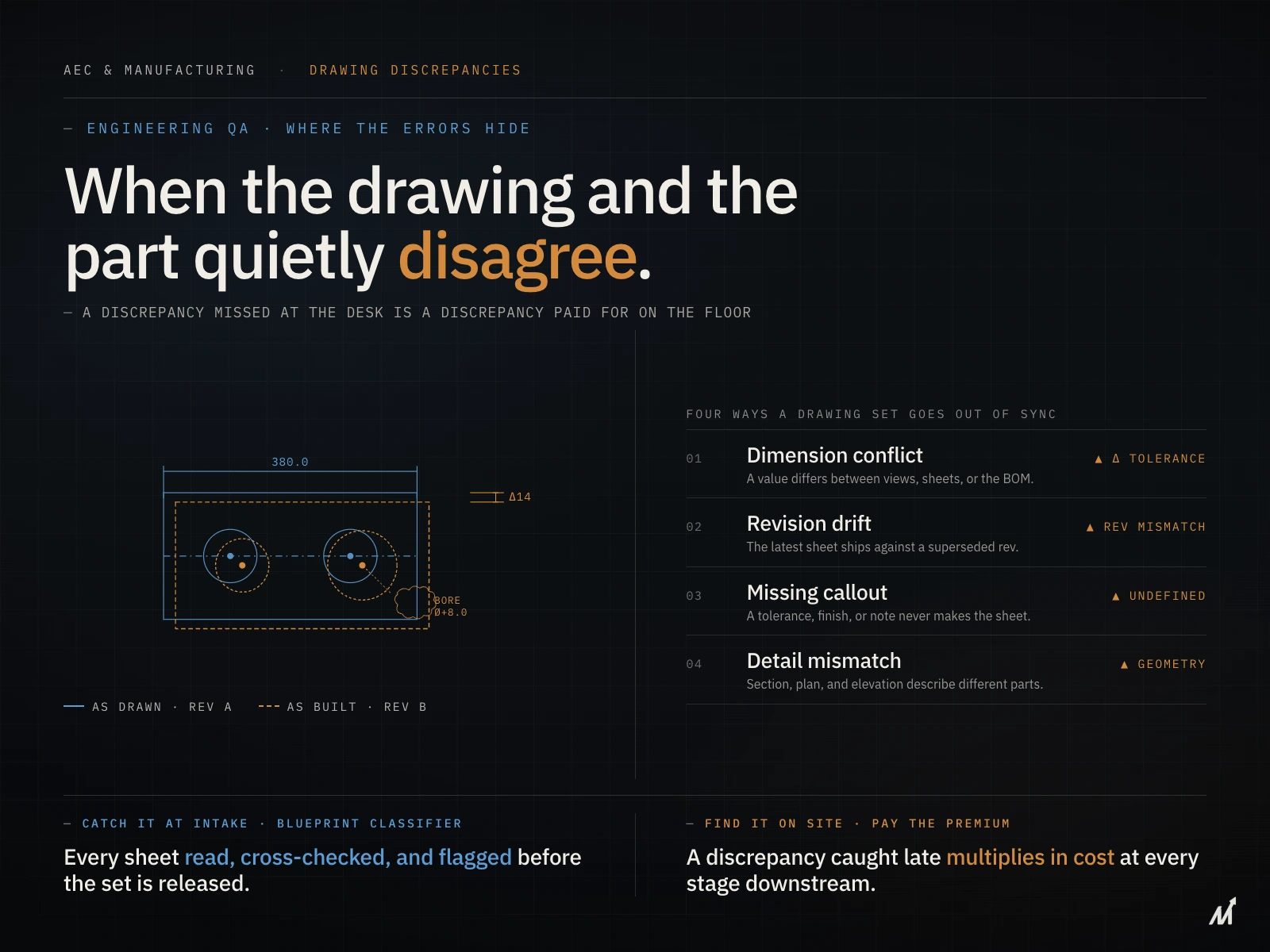
The same principle applies to engineering drawings. A component can have dimensions, notes, tolerances, identifiers, and related details across different areas or sheets.
In simple terms, an AI blueprint reader uses AI and drawing-analysis technologies to convert drawing content into information that people can review and use.
What Can an AI Blueprint Reader Read?
The capabilities of an AI blueprint reader vary by software and drawing type. Modern blueprint readers can analyze a wide range of visual and textual information within supported drawings and help users understand how different elements relate to one another. It can help interpret:
Architectural drawings: Floor plans, room layouts, doors, windows, dimensions, notes, schedules, and callouts.
Construction drawings: Plan sheets, symbols, measurements, annotations, details, and drawing references.
Mechanical and electrical drawings: Components, labels, symbols, equipment references, and related drawing information.
Engineering drawings: Dimensions, component information, notes, specifications, tolerances, and other drawing details.
Manufacturing drawings: Part information, dimensions, callouts, BOM-related data, and manufacturing requirements.
The results can also depend on factors such as file quality, scale, legibility, drawing standards, and drawing complexity. A well-designed blueprint reader should therefore make its results easy to verify, with source locations and relevant drawing context available for review.
Why Manual Blueprint Reading Gets Harder at Scale
Manual blueprint reading is not inherently a problem. Experienced estimators, engineers, and reviewers still need to interpret drawings and make decisions.
The challenge appears when teams have to review large drawing sets, repeated revisions, or multiple projects at once.
Manual review can require people to:
- Locate relevant sheets
- Search for symbols, notes, and dimensions
- Cross-check related details and schedules
- Compare revisions
- Re-enter information into downstream systems
- Repeat the same checks across large drawing sets
As drawing volume increases, these repetitive steps can consume more time without adding much new judgment.
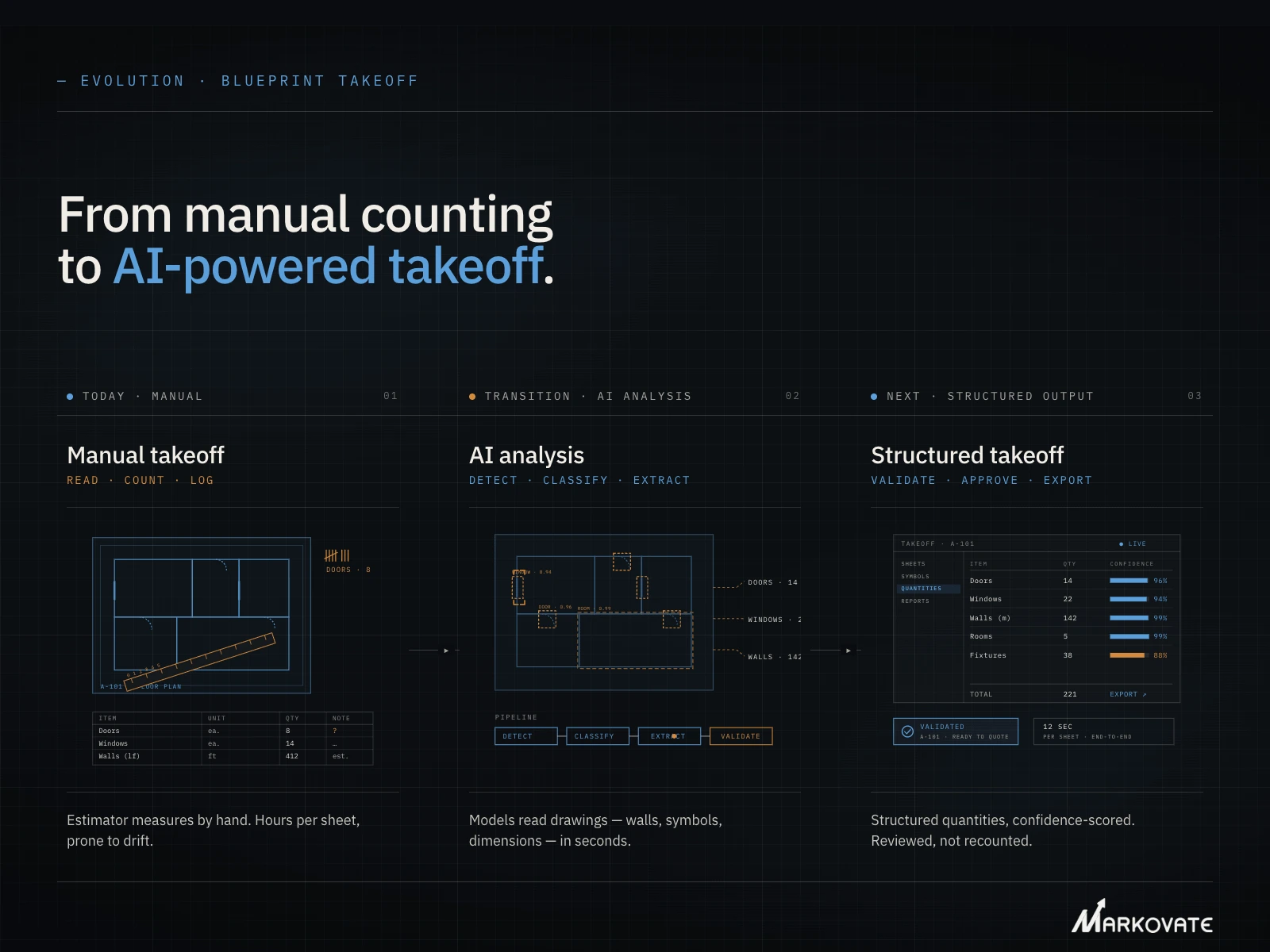
AI blueprint readers can assist with the first-pass analysis by classifying sheets, identifying supported drawing elements, and surfacing relevant information for review.
The role of AI is therefore not to replace blueprint reading expertise. It is to reduce the repetitive work around it.
How the AI Blueprint Reader Software Works

AI Blueprint Analysis typically follows several steps to analyze drawing sets. The exact process varies by system.
1. Drawing Upload and Classification
The system processes the drawing files and identifies the sheets they contain. It can classify sheets by drawing type, discipline, page, or other available information.
This step helps separate architectural plans from details, schedules, mechanical sheets, or other drawing types.
2. Drawing Element Recognition
The system then examines the visual and textual information on each sheet. It can identify lines, shapes, symbols, labels, dimensions, notes, and other supported elements.
OCR can help extract text, but text alone does not describe everything shown on a technical drawing. Visual analysis can help identify information that text extraction cannot capture by itself.
3. Context and Relationships
A drawing rarely contains all the information needed in one location. Callouts can point to details. Schedules can describe elements shown on plans. Other sheets can provide supporting information.
A drawing-focused system can use these relationships to connect related information and make the extracted data more useful than isolated text or objects.
4. Results and Source References
The system presents the information in a form that people can review and use. Depending on the application, results may include extracted data, identified elements, measurements, classifications, or related drawing references.
Source-linked results are important because reviewers can return to the original sheet and verify what the system identified.
For example, the Blueprint Intelligence Platform, AI Blueprint Classifier, provides source-traced drawing results that help estimators and engineering teams review extracted information against the original drawing.
5. Human Review
AI can speed up the first pass, but people still need to review important results. This becomes especially important when drawings contain unclear symbols, unusual standards, or conflicting information.
A reliable workflow should make review easier rather than hide uncertainty behind an automated result. This is where the difference between simply extracting text and actually understanding a drawing becomes important.
Why OCR Alone Is Not Enough for Blueprint Reading
OCR, or optical character recognition, converts text inside an image or document into machine-readable text. That makes it useful for extracting labels, notes, numbers, and other written content from drawings.
However, reading a blueprint requires more than recognizing its text. The meaning of a drawing often depends on how text, symbols, dimensions, and other visual elements are represented on the sheet.
For example, a dimension may correspond to a specific feature, while a symbol can represent a component without explicitly naming it. Understanding these elements requires interpreting their visual context, not just converting the words on the page into text.
This is why AI blueprint readers typically combine OCR with computer vision and drawing-analysis techniques to interpret both textual and visual information.
For a deeper look at this distinction, check our blog on RFQ data extraction and why OCR alone can fall short on engineering drawings.
What to Look for in AI Blueprint Reader Software: Key Factors That Set It Apart
The most useful AI blueprint reader is not simply the one that processes drawings quickly. It should match the type of drawings your team works with and the decisions you need to make from them.
1. Drawing and File Support
Check which drawing types and file formats the software supports. Test it with real project files rather than relying only on sample drawings. Scanned, low-resolution, complex, or unusually formatted drawings can produce different results.
2. Element Recognition
Look beyond text extraction. Check whether the software can recognize the symbols, dimensions, components, schedules, and other elements relevant to your work.
3. Drawing Context
A drawing element rarely exists on its own. Check whether the system can relate information across sheets, views, callouts, and other drawing references when the workflow requires it.
4. Source-Linked Results
Reviewers should be able to see where an extracted result came from. Sheet numbers, page references, or drawing locations can make verification easier.
5. Uncertainty and Review
Look for clear review capabilities that help users validate results, investigate information that needs closer attention, and make corrections when necessary. This gives teams greater visibility and control over the drawing analysis process.
6. Outputs and Integrations
Consider what happens after the system reads the drawings. You may need results for takeoffs, BOMs, estimates, quoting, reporting, or other downstream processes.
The important question is whether drawing information can move into the next part of your process without creating another manual data-entry step.
7. Security and Data Handling
Engineering and construction drawings can contain sensitive project information. Review how the provider handles uploaded files, access controls, storage, encryption, and customer data. Enterprise teams should also review residency, isolation, retention, and deployment requirements where relevant.
These factors provide a practical framework for evaluating an AI blueprint reader. Next, see how these capabilities come together in a platform: AI Blueprint Classifier!
AI Blueprint Classifier: Built for Intelligent Blueprint Reading
AI Blueprint Classifier is an engineering drawing intelligence platform, designed around the information contained in technical drawings rather than treating the drawing as a text document.
It can classify drawing sheets, recognize supported drawing elements, relate information across drawing content, and provide results that can be reviewed against the source drawing.
That foundation is used across specialized capabilities for tasks such as takeoff, quoting, BOM extraction, drawing comparison, insights, P&ID analysis, and window takeoff.
The important distinction is the approach.
Instead of creating a separate reading process for every downstream task, AI Blueprint Classifier uses drawing intelligence as the starting point and applies it to different workflows.
For example, a construction team may need drawing information for a takeoff. A manufacturing team may need component information for a BOM. A quoting team may need specifications from an RFQ drawing package.
The drawing remains the source. The workflow changes depending on what the team needs to do with the information.
This approach also helps distinguish the AI Blueprint Classifier from tools that treat blueprints primarily as documents, images, or measurement sources. The table below highlights how these approaches differ in the capabilities they provide.
See AI Blueprint Classifier in Action
Analyze technical drawings, identify key elements, and use drawing data for takeoffs, BOMs, quoting, and drawing comparison.
AI Blueprint Reader: Comparing Drawing Analysis Approaches
Not every system that processes a blueprint performs the same type of analysis. Some tools focus on text extraction. Others focus on measurements or specific takeoff tasks. Some focus on searching and answering questions about documents. The right comparison should focus on capabilities.
| Typical Focus | Text & Document Extraction | Drawing-focused Analysis | AI Blueprint Classifier |
| Extract text, notes, and labels | ✓ | ✓ | ✓ |
| Recognize supported symbols and components | Limited | ✓ | ✓ |
| Interpret dimensions and measurements | Limited | ✓ | ✓ |
| Classify drawing sheets | Limited | ✓ | ✓ |
| Understand drawing context | Limited | ✓ | ✓ |
| Connect related information across sheets | Limited | Varies | ✓ |
| Identify drawing elements for specific tasks | Limited | Varies | ✓ |
| Support Takeoff workflows | Limited | Varies | ✓ |
| Supports BOM-related extraction | Limited | Varies | ✓ |
| Support quoting and RFQ review | Limited | Varies | ✓ |
| Compare drawing revisions | Limited | Varies | ✓ |
| Provide source-traced results | Varies | Varies | ✓ |
| Flag information for review | Varies | Varies | ✓ |
The purpose of this comparison is not to suggest that every system in a category works the same way. Capabilities vary by software, drawing type, and application. The key difference is what the system is built to do with the drawing.
Text extraction helps when the information exists mainly as text. Drawing-focused analysis goes further when the task depends on symbols, geometry, dimensions, relationships, or drawing context.
AI Blueprint Classifier is designed to apply that drawing intelligence to specific engineering and business workflows rather than stopping at document extraction.
That distinction also explains why an AI blueprint reader can serve as a starting point for several downstream processes.
From Blueprint Reading to Takeoffs, BOMs, and Estimates
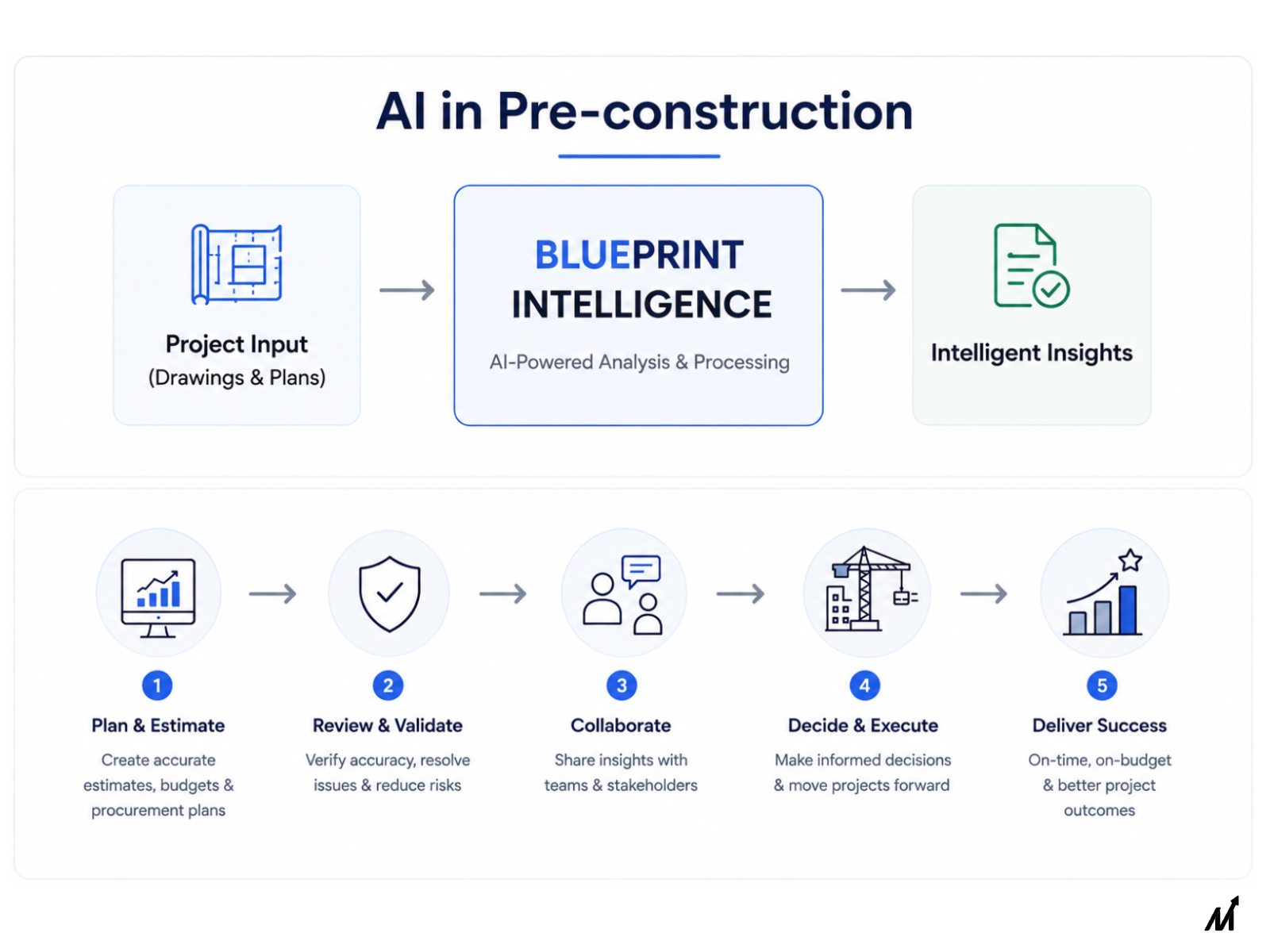
Blueprint reading often acts as the first step in a larger process. Once drawing information becomes searchable and usable, teams can apply it to specific tasks.
1. Takeoffs
A blueprint reader can help surface the information needed for a takeoff. For example, a system may identify supported components, measurements, or quantities from relevant drawing sheets.
Dedicated takeoff capabilities can then use that information for quantity calculations and scope review. The estimator remains responsible for checking the final scope and quantities.
For more on this application, see AI in construction estimating and how drawing analysis supports takeoff workflows.
2. BOM Extraction
Manufacturing teams can use drawing information to support Bill of Materials processes. Relevant components, identifiers, quantities, and specifications can be extracted from supported engineering drawings. That information can then support BOM preparation and validation.
3. Estimating and Quoting
Engineering and construction estimates depend on accurate drawing information. Missing a dimension, component, or specification can affect the estimate.
Blueprint interpretation can help teams surface relevant information earlier. The final estimate still depends on pricing data, assumptions, scope, and professional judgment.
For manufacturing teams, drawing data can also influence quote preparation. GD&T, dimensions, materials, and other drawing requirements can affect how a part or project is priced.
4. Drawing Comparison
Blueprint analysis can also support drawing comparison and revision review. Teams can examine changes between drawing versions and focus attention on relevant differences. This can reduce the time spent manually checking large drawing sets.
Where AI Blueprint Readers Still Need Human Review
AI blueprint reading can reduce manual effort, but it does not remove the need for expertise. Drawing interpretation can involve project-specific conventions, incomplete information, unusual symbols, and design intent.
A human reviewer should remain involved when results affect cost, scope, engineering decisions, or compliance.
Review becomes especially important when:
- The drawing is unclear or low quality
- Symbols or conventions differ from expected standards
- Multiple sheets contain conflicting information
- A quantity affects a major estimate
- Specifications or notes change the meaning of a drawing element
- The result requires engineering or project-specific judgment
The strongest use of AI is not to replace the person reading the drawing. It is to reduce repetitive review and help that person focus on the information that needs attention.
The workflow keeps people involved in reviewing results and making final decisions.
Conclusion
An AI blueprint reader does more than extract words from a drawing. It can help teams interpret supported drawing elements, connect related information, and surface useful results for review.
That makes blueprint reading a practical starting point for takeoffs, BOMs, estimates, quotes, and drawing review.
The key is to evaluate the software based on what your drawings require. Look at drawing support, recognition capabilities, context, source references, review controls, outputs, and data security.
AI can handle repetitive parts of the process. Experienced professionals should still review results that affect important decisions.
That combination can make drawing analysis faster without removing the judgment that technical work requires.
If you’re exploring how AI can help analyze blueprints and support downstream workflows, contact us to see how drawing intelligence can support your team.
FAQs
1. Can AI read blueprints?
Yes. AI systems can read and analyze supported blueprints. Their capabilities vary by drawing type, file quality, complexity, and the information they were designed to recognize. Some systems focus on text and measurements. Others analyze symbols, components, schedules, and relationships across drawing sheets.
2. Can AI read construction drawings?
Yes. AI can analyze many types of construction drawings when the system supports their content and format. Capabilities can include sheet classification, symbol recognition, dimensions, notes, schedules, and drawing references. Teams should test the software against their actual drawing sets before relying on its results.
3. Can AI read engineering drawings?
Yes. AI can analyze supported engineering drawings and extract relevant information. Depending on the system, this may include dimensions, notes, component information, identifiers, and specifications. Engineering review remains important when the information affects design, manufacturing, quality, or compliance decisions.
4. Is an AI blueprint reader the same as OCR?
No. OCR focuses on converting visible text into machine-readable text. An AI blueprint reader can combine text extraction with visual analysis and drawing context. This allows it to work with information that does not exist as plain text.
5. Can AI blueprint readers do takeoffs?
Some can support takeoff workflows, while others focus on drawing analysis. Takeoff capabilities vary by software and trade. Teams should check whether the system supports the measurements, symbols, and quantities they need. Final quantities and scope should still receive human review.
6. Can AI read an entire blueprint set?
Some AI systems can analyze multiple sheets and connect related information across a drawing set. This can help when an answer depends on a plan, schedule, detail, or reference on another sheet. The quality of cross-sheet analysis depends on the system and the drawing set.
7. Can AI extract information from engineering drawings?
Yes. AI can extract supported information from engineering drawings. This can include dimensions, component details, notes, identifiers, and other drawing data. The useful question is not only whether the system extracts information. It is whether the extracted information retains enough drawing context for review and use.
8. Should engineers and estimators still review AI blueprint results?
Yes. Human review remains important for results that affect engineering, estimating, scope, or compliance. AI can handle repetitive analysis and surface relevant information. Experienced professionals should make the final judgment where technical context matters.
9. Can ChatGPT read construction blueprints?
ChatGPT can analyze construction blueprints, but it is not a purpose-built blueprint reader and may not fully interpret complex drawing elements, relationships, measurements, or takeoff requirements. For detailed blueprint analysis and construction takeoffs, purpose-built software may provide more specialized capabilities for drawing elements, measurements, cross-sheet relationships, and takeoff workflows.